Sep 18

Allow full transparent desktop menu bar

In the current release as of this writing, when I am on desktop wallpaper, the overlay is solid black or a transparent blur. but an option for fully transparent option would allow the wallpaper to look better.
ReviewingReviewing

Sep 19, 2026

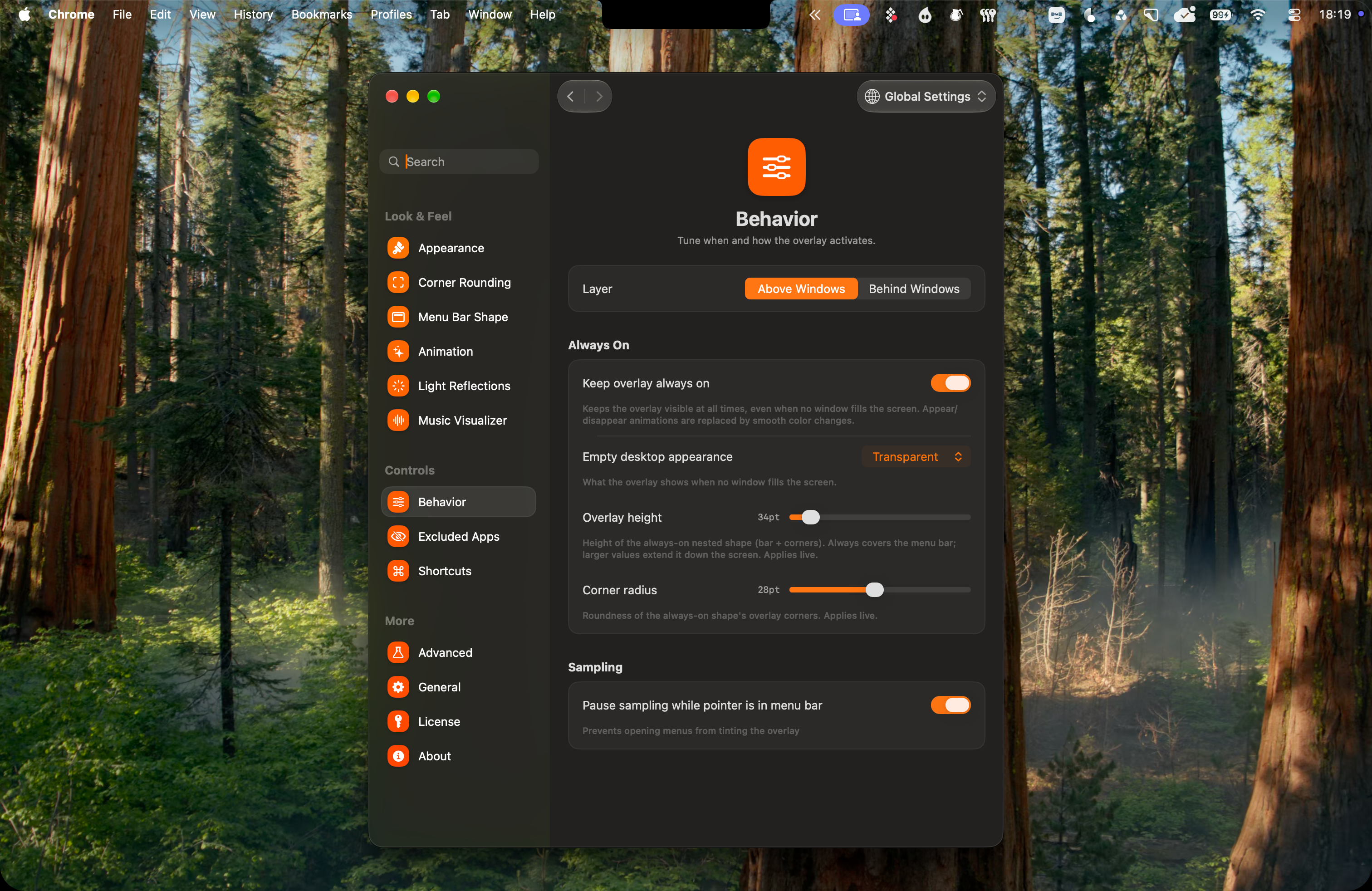
here is a screenshot of how it looks when the overlay is showing on desktop while overlay is set to always on

Sep 19, 2026

on my side the transparency did not have this effect, can u also provide your device infos, or maybe the logs will be helpfull here, u can find it in the settings under About. if u use the macbook attached to the extarnal monitor this could happen because there is not a multi screen support yet this might be the real issue. Thanks anyway i love your feedbacks thats super nice from you to take your time and help me get the DMB better and better 🙏

Sep 19, 2026

I am on a mac studio with 2 external monitors, which is why it is broken. I will wait for multi monitor support and then check in if the issue still exists. Thanks.

changed status toReviewing·Sep 18, 2026
Sep 18, 2026

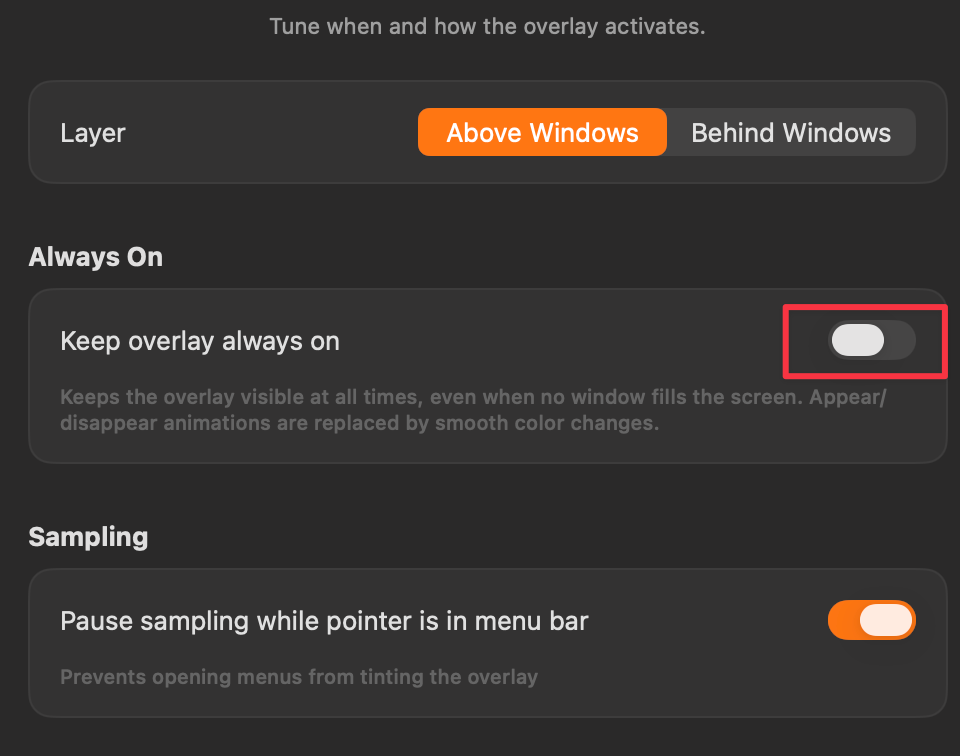
Hi there thanks for feedbacks can u attach a screenshot to visualise your problem better. Normally the overlay should be hidden if there is no filled screen. You may activate keep overlay always on in behavior settings